
Quick Answer
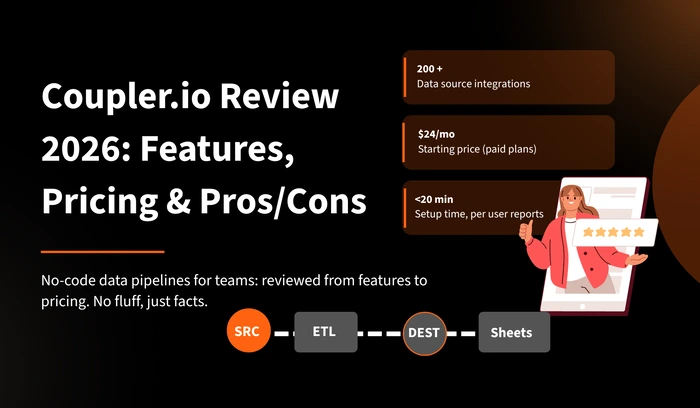
Coupler.io is a no-code data integration and automation platform that helps teams collect, transform, and deliver data from 200+ sources to spreadsheets, databases, and BI tools. It eliminates manual data extraction by automating scheduled data pipelines — no engineering required.
Key Takeaways
- Coupler.io connects 200+ data sources to Google Sheets, BigQuery, Power BI, Looker Studio, and more
- Built-in Transform module lets users clean and reshape data before delivery — without SQL
- All sources and destinations are available on every paid plan — no connector gating
- Free plan available; paid plans start at $24/month with a 7-day full-access trial
- Rated 4.9/5 on Software Advice; consistently cited for ease of use and responsive support
Introduction
Coupler.io is a data automation and analytics platform designed to simplify the extraction, transformation, and loading (ETL) of data across business systems. It targets non-technical users and small-to-mid-size teams that need data flows between SaaS tools and reporting environments — without building custom pipelines or hiring data engineers.
The platform follows a four-step workflow — Source, Transform, Destination, Schedule — allowing any user to configure a live data pipeline in under 20 minutes, according to verified user reports. This review covers every major dimension of the product: what it does, what it costs, who it serves, and where its limits are.
Start with a 7-day free trial. No credit card required. All sources and destinations unlocked immediately.
What Is Coupler.io?
Coupler.io is an all-in-one data analytics and automation platform. Its core function is bridging the gap between business data sources — CRMs, ad platforms, ecommerce tools, finance apps — and the destinations where teams analyze data: spreadsheets, data warehouses, and BI dashboards.
The platform is hosted on Amazon Web Services and Google Cloud and holds multiple security certifications including ISO/IEC 27001, HIPAA/HITECH, GDPR, FedRAMP, and SOC 1, 2, and 3.
✅ Best For
- Marketing analysts managing multi-channel reporting
- Finance teams automating QuickBooks or Xero exports
- Agencies building automated client dashboards
- Non-technical users needing no-code data pipelines
- Teams sending data to Google Sheets, BigQuery, or Power BI
- Small-to-mid teams without a dedicated data engineer
❌ Not Ideal For
- Teams needing sub-15-minute real-time data streaming
- Data engineers requiring custom Python/R transformation scripts
- Large enterprises with petabyte-scale warehouse pipelines
- Teams needing complex dbt transformation logic natively
- Organizations requiring all-in-one marketing attribution
Key Features
1. Source Library (200+ Integrations)
Coupler.io supports over 200 data source integrations. Widely used connectors include Google Ads, Meta Ads, HubSpot, Pipedrive, Salesforce, Shopify, Airtable, QuickBooks, Xero, Stripe, MySQL, and Google Analytics 4. Unlike some competitors, all available sources are unlocked on every paid plan — there is no per-connector pricing or tiered gating of specific integrations.
2. Built-In Transform Module
The Transform module enables users to rename, reorder, and hide columns; apply filters and sorting; create custom formula fields; and merge or append data from multiple sources — all within the platform’s visual interface. Data is cleaned and structured before reaching the destination, reducing or eliminating post-delivery manual prep. No SQL knowledge is required.
3. Scheduled Automation
Coupler.io supports automatic data refresh at intervals as short as every 15 minutes on paid plans. Users can configure specific days of the week and time windows for each data flow. Both incoming and outgoing webhooks are also supported, enabling event-triggered pipeline execution.
4. Multiple Destinations
Supported destinations include Google Sheets, Microsoft Excel, BigQuery, Amazon Redshift, PostgreSQL, Looker Studio, Power BI, and Tableau. The platform also includes native storage (Coupler.io Storage), with planned support for AWS S3, Azure Data Lake, and Google Cloud Storage on the 2026 roadmap.
5. Dashboard Templates
Coupler.io provides pre-built, ready-to-use report templates for Looker Studio, Google Sheets, and Power BI. These templates are plug-and-play with connected data sources, reducing dashboard setup time to minutes rather than days.
6. AI Analytics Layer
The platform integrates data pipelines with AI tools including ChatGPT and Claude, enabling conversational analytics on live data. Instead of manually uploading exports, users connect data directly to an AI interface for natural-language querying.
Use Cases
Marketing Reporting Automation
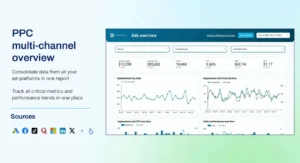
Marketing teams use Coupler.io to pull data from Google Ads, Meta Ads, TikTok, LinkedIn, and GA4 into unified Google Sheets or Looker Studio dashboards. Scheduled refreshes ensure dashboards reflect current data without manual exports. This eliminates repetitive data extraction workflows and reduces reporting errors.
Finance & Accounting Pipelines
Finance teams connect QuickBooks, Xero, or Stripe to Google Sheets or BigQuery for automated budget tracking, cash flow reporting, and revenue analysis. Coupler.io‘s filtering options allow teams to segment financial data by category, date, or entity — something many native reporting tools do not support out of the box.
CRM Data Extraction
Sales operations teams extract HubSpot or Pipedrive deal, contact, and activity data into spreadsheets or BI tools for pipeline analysis and forecasting. The platform is specifically noted by users for its reliable HubSpot integration, which has been described as more flexible than alternatives tested side-by-side.
Agency Client Reporting
Agencies use Coupler.io to build templatized data pipelines that can be replicated across clients. Connection templates allow new client onboarding without rebuilding pipeline logic from scratch, reducing setup time significantly.
Pricing
| Plan | Starting Price | Connections | Users | Refresh Interval | Best For |
|---|---|---|---|---|---|
| Free | $0/mo | 1 (manual) | 1 | Manual only | Single-use testing |
| Personal | ~$24/mo | Limited | 1 | Daily | Solo analysts |
| Professional | ~$132/mo | 25 | 5 | Every 15 min | Small teams |
| Team | ~$259/mo | More | More | Every 15 min | Agencies, growing teams |
| Business | ~$599/mo | Extensive | Large teams | Every 15 min | Enterprise |
Coupler.io charges per data flow (connection), not per source platform. Each account, report type, or data variant counts separately. A single YouTube channel, for example, can consume up to 6–7 connections depending on report types selected. Model your connection requirements before selecting a plan.
Annual billing offers a 25% discount across paid plans. A 7-day full-access trial is available on the Professional plan without requiring a credit card.
Pros & Cons
✅ Pros
- All 200+ sources available on every plan — no connector gating
- No-code setup; non-technical users fully operational in <20 minutes
- Built-in Transform module eliminates post-delivery data prep
- Free plan provides genuine functionality (not demo-only)
- Strong support responsiveness — noted consistently in reviews
- Database destinations (BigQuery, Redshift) available on paid plans
- AI integrations for conversational data analytics
- Full security compliance: ISO 27001, HIPAA, GDPR, SOC 1/2/3
- Pre-built dashboard templates for Looker Studio, Sheets, Power BI
❌ Cons
- Connection-based pricing scales unexpectedly at volume
- 15-minute minimum refresh — no sub-minute real-time sync
- No native Python/R transformation support
- YouTube analytics is connection-heavy per channel
- Advanced database management noted as needing improvement
- Platform is English-only — no multi-language support
- Complex data model setup involves trial and error
Frequently Asked Questions
Conclusion
Coupler.io delivers a practical, scalable solution for teams that need automated, reliable data pipelines without engineering resources. Its no-code interface, broad source library, built-in transformation capability, and access to database destinations across all paid plans make it a strong choice for marketing, finance, and operations teams. The connection-based pricing model requires upfront planning, but the free plan and trial period allow complete evaluation before commitment.
Eliminate manual data collection workflows. Start a free trial and have an automated pipeline running today.
Sources